Create and manage peer-to-peer messaging projects using the API.
Projects, also called Actions, are the core objects for sending peer-to-peer messages. Each Project contains messages, recipients, and other options allowing you to programmatically manage messaging campaigns, automate sends, and retrieve performance data.
How It Works
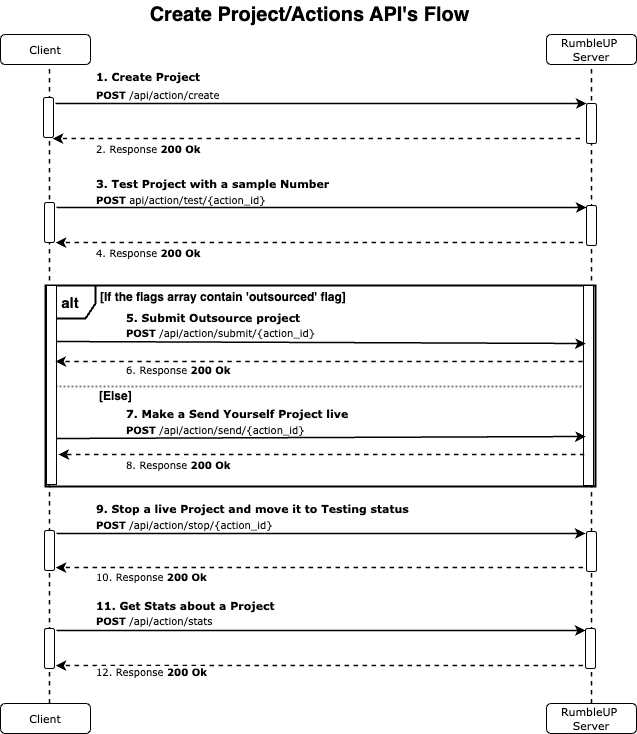
A typical project workflow looks like this:
- Create a Project with a message, a proxy number, and a group of contacts.
- Send a Test Message to verify content and delivery.
- Make the Project Live to start sending messages.
Project sending can be handled in different ways depending on your setup:
-
Sending Teams:
Setup your project a Send Yourself project and use the Messaging API to send messages directly within your portal. Team members can also log into the RumbleUp portal to send messages manually. -
No Sending Team:
Setup your project an Outsourced Project and schedule it for RumbleUp’s teams to send on your behalf.
Refer to the sequence diagram for a visual overview of the workflow.
Workflow: